

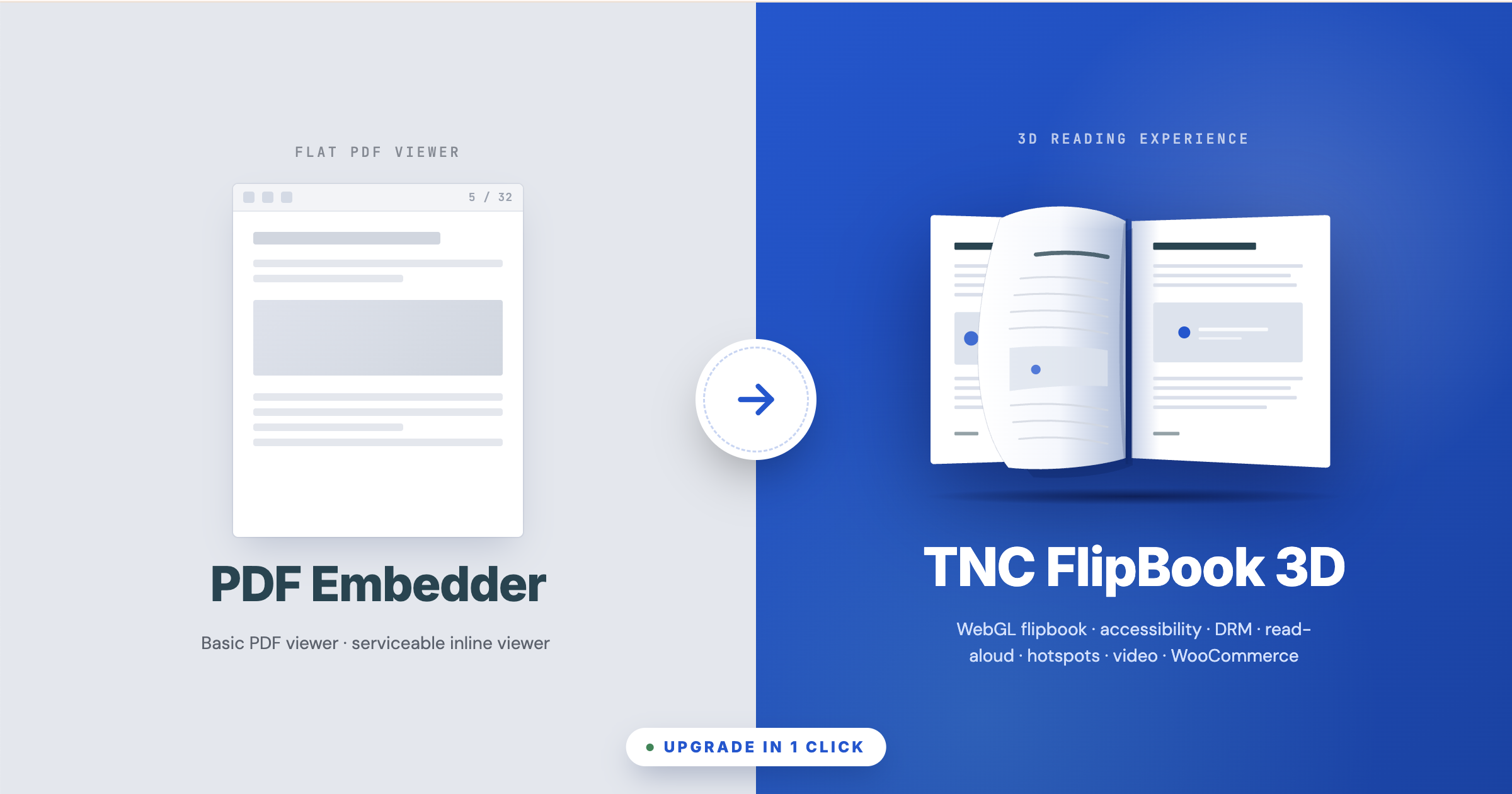
PDF Embedder by Syed Balkhi is the most popular flat-PDF viewer plugin for WordPress: 300,000+ active installs, 4.7/5 from nearly 500 reviews, version 5.0.1, and a deserved reputation for “drop in a PDF and it just works.” It is built around a fundamentally different idea than TNC FlipBook 3D — PDF Embedder shows your PDF as a flat, paginated document inside a small viewer frame; TNC FlipBook 3D turns it into a full 3D flipbook with realistic page-turning, hotspots, video overlays, accessibility, content protection, text-to-speech, and a publishing-grade admin. This article covers what each plugin is for, where the gap is, and how to upgrade your existing PDF Embedder pages to TNC FlipBook 3D in a single click.
A quick note on our story. TNC FlipBook 3D is not a new entrant. ThemeNcode shipped its first PDF viewer plugin for WordPress on CodeCanyon in 2014. Over the next decade that plugin grew into TNC FlipBook Classic (Elite Author, 9,000+ sales, 4.58/5 from 185 reviews, currently on version 12.6.1), evolving from a straightforward PDF viewer into a full FlipBook with multiple view modes, transcription, sound effects, and deep theming. TNC FlipBook 3D is the modern successor — rebuilt from the ground up with WebGL page-turn physics, accessibility, DRM, and read-aloud. The classic version is still actively maintained for sites that prefer the lighter, traditional viewer.
What you will find in this article
- Two different tools, two different jobs
- At-a-glance verdict
- Why users are switching to TNC FlipBook 3D
- Viewer modes & rendering
- Design, themes & customization
- Admin experience
- Accessibility (WCAG 2.1 AA)
- Read Aloud / Text-to-Speech
- Content protection & DRM
- Hotspots, video overlays & interactivity
- Page builder, Gutenberg & WooCommerce
- Monetization & analytics
- Migration toolkit (1-click upgrade)
- PDF Embedder customer migration discount
- Who should upgrade — and who should stay
- FAQ
Two different tools, two different jobs
A comparison of PDF Embedder vs TNC Flipbook 3D is a must-have for WordPress flipbook users. These are both used to put PDFs on a WordPress page, but they answer different questions:
- PDF Embedder answers: “How do I show this PDF inside the page so visitors can read it without downloading?” The result is a small viewer frame with prev/next, search, and full-screen. Visually it looks like Adobe Reader on the web.
- TNC FlipBook 3D answers: “How do I publish this PDF as a real reading experience?” The result is a 3D flipbook with realistic page-turning, hotspots, video, accessibility, DRM, read-aloud, and a publishing-grade admin.
If you only need the first thing — a serviceable PDF viewer inline on a page — PDF Embedder is genuinely excellent at it. If you need the second thing, the comparison gets one-sided fast.
At-a-glance verdict
| Capability | PDF Embedder | TNC FlipBook 3D |
|---|---|---|
| 3D / 2D realistic page flip | No — flat PDF viewer | Yes (WebGL + 4 CSS effects) |
| Vertical scroll viewer | Yes (continuous scroll) | Yes |
| Built-in accessibility (WCAG 2.1 AA) | Not advertised | Yes |
| Read Aloud / Text-to-Speech | No | Yes (6 providers) |
| Content protection & watermarks | Text watermark only | Full DRM suite |
| PDF link rendering (clickable) | Limited | Yes |
| Per-page video overlays | No | Built in |
| Visual hotspot editor | No | Yes |
| Form-fill viewer with signature | No | Yes |
| Multi-PDF combining | No | Yes — named chapters |
| Search inside PDF | Limited | Yes |
| Download / view tracking | Limited | GA4 + Self-Hosted dashboard Addon |
| Gutenberg blocks | 1 block | 3 native blocks |
| Page builder support | Shortcode only | Elementor, WPBakery, Avada / Fusion Builder, Divi |
| WooCommerce purchase gating | No | Built in |
| Monetization (ad slots) | No | 6 slot types Addon |
| Bookshelves | No | Yes Addon |
| UI translations | 21 admin locales | 194+ languages built in |
| Migration toolkit | N/A | Scans posts for [pdf-embedder] shortcodes & converts |
| Money-back guarantee | 14-day | 7-day, no questions |
Short version: PDF Embedder is a great inline PDF viewer at a low price point. TNC FlipBook 3D is what you upgrade to when "show the PDF" is no longer enough — you need a real reading experience, accessibility, DRM, hotspots, video, monetization, or WooCommerce gating — and our migration toolkit converts your existing [pdf-embedder] shortcodes across in a single click.
Why users are upgrading to TNC FlipBook 3D
Three patterns come up over and over in upgrade requests from PDF Embedder customers:
1. The reading experience is flat
PDF Embedder’s viewer is, intentionally, a small browser-style PDF frame. There is no page-turn animation, no realistic flipbook, no hardcover or spiral, no light/dark theme, no chrome palette. That is fine for displaying a one-page form or a five-page document inline on a help page. It is not fine when you are publishing a magazine, catalog, training book, brochure, or annual report and you want the experience to feel like reading a book. TNC FlipBook 3D’s WebGL flipbook is the upgrade most PDF Embedder customers are reaching for when they outgrow the flat-viewer experience.
2. Compliance and accessibility audits
PDF Embedder does not publish an accessibility statement and the public feature list does not mention WCAG, ARIA, screen-reader testing, focus management, or keyboard-shortcut help beyond basic navigation. For organizations subject to ADA, Section 508, AODA, or the European Accessibility Act, this becomes a blocker the first time legal or procurement asks for an accessibility statement. TNC FlipBook 3D was rebuilt with full accessibility support that handles all of this out of the box.
3. Document protection that actually works
PDF Embedder adds an encrypted-transmission “Secure” mode and a single text watermark. There is no image watermark, no DevTools detection, no print protection, no screenshot deterrent. For paid magazines, training course PDFs, internal documentation, or anything sensitive, this is not enough. TNC FlipBook 3D ships with a layered content protection system: text and image watermarks (rendered live and burned into print/download), DevTools detection with configurable response, right-click and keyboard-shortcut blocking, image-drag prevention, screenshot deterrents, and conversion of source paths so the original PDF is not exposed in the network panel.
Viewer modes & rendering engine
This is the largest single difference between the two plugins. PDF Embedder shows your PDF the way Adobe Reader does — flat, paginated, with prev/next buttons. TNC FlipBook 3D ships a real WebGL flipbook with several alternate modes for different reading contexts.
| Viewer feature | PDF Embedder | TNC FlipBook 3D |
|---|---|---|
| WebGL 3D FlipBook | No | Yes — with refined corner-curl physics |
| CSS / 2D flipbook | No | Yes — with 4 effects: Realistic, Hard Cover, Slide, Fade |
| Vertical / continuous scroll | Yes | Yes |
| Horizontal swipe | No | Yes |
| Inline flat-PDF embed | Yes — the core feature | Yes (Form Viewer mode for fillable PDFs) |
| Form-fill viewer with signature | No | Yes — fillable fields + signature, works on any PDF |
| Single / double page modes | Single page | Single + double-page spread |
| Full-screen mode | Yes | Yes |
| Search inside PDF | Yes | Yes |
| Page-corner click / drag | No | Yes — with refined physics |
| Flip sound effects | No | 13 built-in sound effects + custom upload |
| Hardcover / Spiral book styles | No | Default, Hardcover, Spiral — with 3D cover panels and spine |
| Image-only FlipBooks | No (PDF only) | Yes |
| Multi-PDF combine into one book | No | Yes — named chapters, drag-to-reorder |
| Mobile full-screen mode | Yes | Yes (responsive + full-screen toggle) |
Form-fill mode: turn any PDF into a fillable, signable document
PDF Embedder does not offer a form-fill mode at all. TNC FlipBook 3D ships a dedicated Form Viewer that handles both real fillable PDFs and flat documents: visitors can fill in fields, draw or type a signature, and then download or print the completed document. Crucially, this works even on PDFs that were never authored as real forms — the viewer lets users place text and a signature anywhere on the page, so a flat scan of a contract, a paper enrollment form, or an exported invoice can be completed and signed without ever leaving your site.
Design, themes & customization
PDF Embedder’s customization is intentionally minimal: change the toolbar position (top, bottom, both, or hidden), pick a width, pick whether the toolbar fades on hover or stays visible. There is no theming system, no chrome palette, no light/dark toggle, no logo replacement, no brand color picker, and no custom CSS editor. That is consistent with its “as simple as adding an image” pitch but it leaves you with one viewer look across every PDF on the site.
| Customization | PDF Embedder | TNC FlipBook 3D |
|---|---|---|
| Color schemes / chromes | One default look | 7 chromes (Slate, Paper, Midnight, Ocean, Forest, Glass, Sepia) |
| Brand color picker | No | Yes — drives buttons, focus rings, accents |
| Hardcover wrap color | No | Dedicated picker; spine and bevels auto-derive |
| Light / dark toggle in viewer | No | Yes — auto / dark / light, user-toggleable |
| Custom logo | No | Separate dark and light variants, configurable favicon |
| Custom CSS editor | No | Built-in editor with syntax highlighting, global + per-FlipBook |
| Toolbar layout positions | Top / bottom / both / none | 4 toolbar layout positions |
Admin experience: PDF Embedder vs TNC FlipBook 3D
PDF Embedder’s admin is a single, small settings page (Settings → PDF Embedder) with a handful of fields. That is appropriate for a focused tool. There is no per-document editor — each [pdf-embedder url=""] shortcode points to a media URL, and that is the entire data model.
TNC FlipBook 3D treats each FlipBook as a first-class WordPress post with its own editor, metaboxes, and per-FlipBook settings. The admin was redesigned from scratch with the WordPress block editor era in mind: tabbed organization, descriptive helper text under every field, modern toggle switches, drag-and-drop card lists for multi-PDF and image galleries, a visual hotspot editor, a live shortcode generator, and a welcome page with onboarding guides. If you are managing a single PDF on a help page, PDF Embedder’s tiny admin is a fair tradeoff. If you are managing dozens of FlipBooks across categories, with per-FlipBook overrides, hotspots, and access control, the difference is significant.
Accessibility (WCAG 2.1 AA)
This is one of the largest functional gaps. PDF Embedder does not publish an accessibility statement and the public feature list does not mention WCAG, ARIA, screen-reader testing, focus management, or keyboard shortcuts beyond basic navigation. For organizations subject to ADA, Section 508, AODA, or the European Accessibility Act, this is a blocker the first time legal or procurement asks for an accessibility statement.
TNC FlipBook 3D ships with a dedicated accessibility layer covering:
- Full keyboard navigation for every viewer mode (3D, 2D, vertical, horizontal, form-fill)
- ARIA roles and live regions on the toolbar, page indicator, search, thumbnails, and bookmarks
- Focus trap inside modals (share, more menu, settings)
- Visible focus rings that respect the active brand color
- Keyboard shortcut help dialog (press ?)
- Reduced-motion respect for users with the OS setting enabled
- Read Aloud / text-to-speech for low-vision and dyslexic readers (covered next)
- Light/dark toggle and 7 surface palettes for users with photosensitivity preferences
Read Aloud / Text-to-Speech
PDF Embedder does not offer text-to-speech. TNC FlipBook 3D includes a Read Aloud system with two tiers:
- Browser TTS — free, all versions, uses the visitor’s operating-system voices. Per-sentence playback with word-level highlighting.
- Cloud TTS (Pro) — pre-generated, high-quality audio from your choice of provider: Google Cloud TTS (400+ voices), Azure Speech (500+ neural voices), Amazon Polly (NTTS), ElevenLabs, OpenAI TTS. Audio is generated server-side from the Read Aloud admin tab and served as MP3 for instant playback.
Content protection & DRM
PDF Embedder adds an encrypted-transmission “Secure” mode and a configurable text watermark (including the logged-in user’s name or email). That is real value for many use cases. Where it falls short is the rest of the DRM toolkit: no image watermark, no DevTools detection, no print protection, no screenshot deterrent, no source-path obfuscation beyond the encrypted transmission. For paid magazines, training course PDFs, internal documentation, or anything sensitive, the gap is significant.
| Protection feature | PDF Embedder | TNC FlipBook 3D |
|---|---|---|
| Text watermark | Yes | Yes — configurable text, rotation, opacity, repeat |
| Image watermark | No | Yes — PNG with transparency, configurable width |
| Hide download button | Yes | Yes (toggle) |
| Encrypted PDF transmission | Yes | Yes — source-path obfuscation |
| PDF password | Manual on the PDF itself | Yes — configurable per FlipBook |
| DevTools detection | No | Yes — blur / warning / no-action |
| Right-click blocking | No | Yes |
| Keyboard-shortcut blocking | No | Yes |
| Image-drag prevention | No | Yes |
| Print protection & print watermark | No | Yes |
| Screenshot deterrent | No | Yes |
Hotspots, video overlays & interactivity
PDF Embedder makes hyperlinks inside the PDF clickable. Beyond that, there is no hotspot editor, no video overlay system, no notes, and no bookmarks beyond what the PDF itself contains. To add an interactive element you need to either edit the PDF source or use a separate solution.
| Interactivity | PDF Embedder | TNC FlipBook 3D |
|---|---|---|
| PDF link rendering | Limited | Yes — toggleable per FlipBook |
| Visual hotspot editor | No | Yes — click-to-place, action picker (link, popup, page jump, media) |
| Per-page video overlays | No | Yes — positioning, autoplay, draggable, resizable per video |
| Custom Table of Contents | No | Yes — per FlipBook, with deep links |
| Notes (reader-side) | No | Yes |
| Bookmarks | No | Yes |
| Deep linking to a page | Yes (jump-to-page) | Yes |
Page builder, Gutenberg & WooCommerce
PDF Embedder ships a Gutenberg block and a shortcode. There is no native widget for Elementor, WPBakery, Avada / Fusion Builder, or Divi — you embed the shortcode inside a generic shortcode or HTML block.
TNC FlipBook 3D ships native integrations across WordPress’s most-used builders.
Native blocks & widgets
- Three Gutenberg blocks — Embed, Popup Button, Popup Link — with full parameter parity with the shortcodes
- Elementor — native widget category with a FlipBook picker
- WPBakery (Visual Composer) — native elements
- Avada / Fusion Builder — native elements
- Divi — native modules
WooCommerce
- Link a FlipBook to a WooCommerce product
- Gate pages behind purchase with a configurable preview-page limit
- Custom gating message and post-purchase redirect
- Automatic product page preview embed
PDF Embedder has no WooCommerce integration. If you sell paid PDFs, training material, or magazines, this is the difference between “shortcode + plugin glue + custom code” and “tick a checkbox.”
Monetization & analytics
PDF Embedder includes per-file view and download tracking. There is no built-in ad infrastructure, no GA4 integration, and no in-WordPress analytics dashboard.
TNC FlipBook 3D ships GA4 integration in the core plugin. An optional Self-Hosted Analytics add-on provides an in-WordPress dashboard with charts for page views and events, plus configurable data retention. An optional Monetize add-on handles six ad slot types covering the full reading lifecycle:
- Preroll — fullscreen ad before the FlipBook loads (skip delay, max duration, “show once” option)
- Banner — fixed top or bottom strip with optional close button
- Sidebar — desktop side panel (respects minimum-screen-width threshold, collapsible)
- Overlay — appears on specific pages (configurable page list, close delay, backdrop)
- InterPage — shows between page flips (every N flips via frequency, max-shows cap)
- Endroll — appears when reaching the last page
Migration toolkit: convert your existing PDF Embedder pages
Already running PDF Embedder? The TNC FlipBook 3D Migration Toolkit scans every post and page on your site for [pdf-embedder] shortcodes and Block-Editor blocks, creates a new FlipBook for each unique PDF, and (optionally) replaces the inline shortcode with a TNC FlipBook 3D embed — in a single click.
Because PDF Embedder does not use a custom post type (each [pdf-embedder url=""] just points at a media URL), the migration approach is different from how we import other flipbook plugins. The toolkit lives at WordPress Admin → Tools → FlipBook Migration and offers a dedicated PDF Embedder source card when one or more [pdf-embedder] shortcodes are detected anywhere in your post/page content.
What gets carried over
- The PDF source URL from each unique
[pdf-embedder]shortcode — we create a new FlipBook record per unique URL - Width, height, and toolbar position attributes from the shortcode
- Block attributes from the PDF Embedder Gutenberg block (toolbar visibility, sizing)
- Where each PDF was embedded — the migrator notes every post/page each FlipBook appears on, so you can preview the upgrade in context
Optional: replace shortcodes inline
After the migration runs, you can opt to replace the original [pdf-embedder] shortcodes with TNC FlipBook 3D embeds directly in post content. The toolkit shows a preview of every replacement before you commit, so you can do this on a per-post basis or in bulk. Original post content is backed up so you can roll back if needed.
What needs manual review
- Watermark configuration if you used PDF Embedder Pro’s text watermark with logged-in-user variables — flagged for review so you can rebuild it with our watermark system, which supports both text and image watermarks plus dynamic placeholders.
- Tracking events if you relied on PDF Embedder’s view/download counters — with TNC FlipBook 3D you upgrade to GA4 events or the Self-Hosted Analytics dashboard, which capture richer per-page analytics out of the box.
PDF Embedder customer? Claim your loyalty upgrade discount.
If you already own a PDF Embedder license, we will give you a special discount on your first year of TNC FlipBook 3D as a thank-you for upgrading. Fill in the short form below and our team will verify your purchase and email you a one-time discount code, usually within one business day. Renewals after year one are billed at the regular rate.
In a hurry? Go ahead and purchase TNC FlipBook 3D at the regular price right now. Submit this form afterwards with your TNC FlipBook 3D order number, and once we verify your PDF Embedder purchase we will refund the first-year discount amount to your original payment method. You will never pay more than the discounted price either way.
Who should upgrade — and who should stay
Upgrade to TNC FlipBook 3D if:
- You publish magazines, catalogs, training material, brochures, annual reports, or any “long-form” PDF where the reading experience matters
- You are subject to accessibility audits (ADA, Section 508, WCAG 2.1 AA, EAA)
- You sell paid PDFs and need real DRM (image + text watermarks, DevTools detection, print protection)
- You want WooCommerce purchase gating, page-limit previews, or in-FlipBook monetization
- You need multi-PDF combining, hotspots, video overlays, or a form-fill / signature mode
- You want native blocks and widgets for Gutenberg, Elementor, WPBakery, Avada, or Divi
- You need pre-translated viewer UI across 194+ languages, including RTL scripts
PDF Embedder is enough if:
- You are embedding short, utility PDFs (forms, one-pagers, manuals, syllabi) and a flat viewer is the right call
- You do not need a flipbook experience, hotspots, video, accessibility statements, or DRM beyond a text watermark
- You are budget-bound and a simple PDF viewer is a better fit than a flipbook plugin
- Your PDFs are reference material, not a reading experience
Try TNC FlipBook 3D risk-free
Try TNC FlipBook 3D risk-free Unlock the full TNC FlipBook 3D feature set with an annual or lifetime license. The Migration Toolkit converts your existing [pdf-embedder] shortcodes in one click, and you can roll back at any time.
7-day money-back guarantee. Updates & support included.
Frequently asked questions
Do I have to deactivate PDF Embedder before upgrading?
Will the two plugins conflict if both are active?
What happens to the original [pdf-embedder] shortcodes?
By default, the migration creates new FlipBook records but does not modify post content. You can then opt to replace inline shortcodes — on a per-post basis or in bulk — with TNC FlipBook 3D embeds. Each replacement is previewed before commit, and original post content is backed up so you can roll back at any time.
What about PDF Embedder's text watermark and view tracking?
The migrator notes every post that used Pro-tier features so you can rebuild them in TNC FlipBook 3D. The watermark system supports both text and image watermarks with dynamic placeholders, and tracking is available via GA4 (in core) or the Self-Hosted Analytics add-on.
What about DearFlip's bookshelves view?
TNC FlipBook 3D offers an optional Display add-on that provides bookshelf layouts for grouping multiple FlipBooks on a single page, so you can replicate (and extend) the bookshelves view you used in DearFlip.
Is everything in TNC FlipBook 3D included in the core plugin?
The viewer features that PDF Embedder does not have at all — 3D flipbook rendering, accessibility, hotspots, video overlays, custom Tables of Contents, page-limit gating, WooCommerce integration, image and text watermarks, DevTools detection, and GA4 analytics — are all in the core TNC FlipBook 3D plugin. Optional add-ons cover specialized use cases: Display (bookshelf layouts), Monetize (ad slots), Self-Hosted Analytics (in-WordPress dashboard), AI Chatbot, Lead Capture, SEO & AI Search, and PDF Stamper. Page builder support for Elementor, WPBakery, Avada / Fusion Builder, and Divi ships through companion plugins.
Can I see a live demo?
Visit our demo gallery on tncflipbook.com to interact with live FlipBooks across different content types: magazines, catalogs, educational books, restaurant menus, and accessibility-focused publications.