

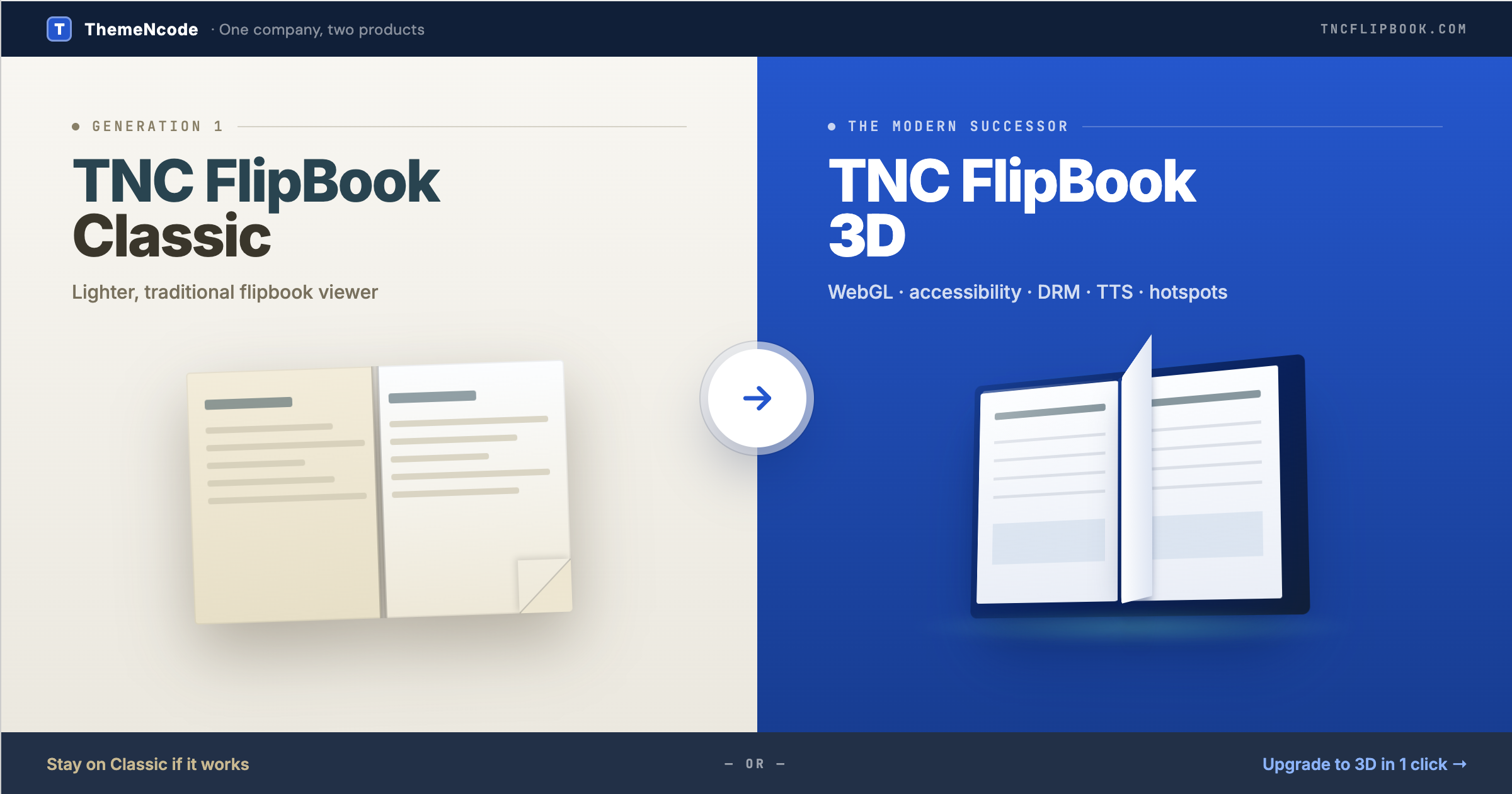
Both plugins are made by ThemeNcode and both are actively maintained. TNC FlipBook Classic is our long-running CodeCanyon plugin (Elite Author, 9,000+ sales, 4.58/5 from 185 reviews, currently on version 12.6.1) — the original PDF Viewer for WordPress that grew into a feature-rich Classic FlipBook over the last decade. TNC FlipBook 3D is the modern successor, rebuilt from the ground up around a WebGL flipbook engine with WCAG accessibility, full DRM, cloud text-to-speech, hotspots, video overlays, multi-PDF support, native page-builder integrations, and a redesigned admin. This article walks through every meaningful feature, when to stay on Classic, when to upgrade to 3D, and how the migration path between the two works.
One company, two products. Both plugins are owned and supported by ThemeNcode. Choosing one over the other does not lock you into the wrong vendor — it just chooses the right tool for your specific use case. The comparison below is honest about where Classic still wins and where 3D is the obvious upgrade.
What you will find in this article
- The short answer
- At-a-glance comparison
- When to stay on Classic
- When to upgrade to 3D
- Viewer modes & rendering engine
- Design, themes & customization
- Admin experience
- Accessibility (WCAG 2.1 AA)
- Read Aloud / Text-to-Speech
- Content protection & DRM
- Hotspots, video overlays & interactivity
- Page builder, Gutenberg & WooCommerce
- Monetization & analytics
- Internationalization
- Migration toolkit (Classic → 3D)
- Classic customer loyalty discount
- FAQ
The short answer
- Stay on TNC FlipBook Classic if you have an established Classic deployment that works for you, the turn.js-based viewer renders fine in your reader’s browsers, and you do not need WebGL physics, WCAG accessibility, the full DRM suite, cloud TTS providers, a visual hotspot editor, or native page-builder integrations beyond what Classic already ships.
- Upgrade to TNC FlipBook 3D if you want the realistic WebGL page-turn experience, accessibility audits are coming up, you need DRM beyond watermarks, you want cloud TTS providers (Google, Azure, Amazon Polly, ElevenLabs, OpenAI), you want a visual hotspot editor, you need multi-PDF combining, or you want a redesigned admin and modern Gutenberg + page-builder support.
Both plugins are actively maintained. Classic is not deprecated and we have no plans to deprecate it — it serves a real audience that prefers a lighter, traditional viewer with the customization options it already has.
At-a-glance comparison
| Capability | TNC FlipBook Classic | TNC FlipBook 3D |
|---|---|---|
| Page-flip engine | turn.js (jQuery-based, CSS transforms) | WebGL (Three.js, refined physics) |
| 2D / CSS fallback | Yes | Yes (with 4 flip effects) |
| Vertical / horizontal viewer modes | Yes | Yes |
| Hardcover / Spiral 3D book styles | No | Yes — with 3D cover panels and spine |
| Built-in accessibility (WCAG 2.1 AA) | Partial | Full WCAG 2.1 AA layer |
| Read Aloud / Text-to-Speech | Browser TTS | Browser + 5 cloud providers |
| Content protection & watermarks | Watermark, password | Full DRM suite |
| Per-page video overlays | No | Built in |
| Visual hotspot editor | No | Yes |
| Form-fill viewer with signature | No | Yes |
| Multi-PDF combining | No | Yes — named chapters |
| Gutenberg blocks | Shortcode only | 3 native blocks |
| Page builder support | Basic shortcode embed | Elementor, WPBakery, Avada / Fusion Builder, Divi |
| WooCommerce purchase gating | No | Built in |
| Monetization (ad slots) | No | 6 slot types Addon |
| Analytics | Basic GA | GA4 + Self-Hosted dashboard Addon |
| Bookshelves | No | Yes Addon |
| UI translations | 10+ languages | 194+ languages built in |
| Modern admin UX | Standard WP screens | Tabbed redesign + welcome page |
| Migration toolkit | N/A | 1-click import + auto redirects |
| License model | CodeCanyon (regular license) | Annual or Lifetime |
| Money-back guarantee | Per Envato policy | 7-day, no questions |
When to stay on TNC FlipBook Classic
Classic is the right pick when:
- You already have a working Classic deployment with custom theming, integrations, or workflows that took time to build, and the renderer’s turn.js page-flip effect renders correctly for your audience.
- You need a non-WebGL viewer for compatibility reasons (older devices, locked-down browsers, environments where WebGL is unavailable or restricted).
- You prefer the Classic licensing model — one-time CodeCanyon purchase plus 6 months / 12 months of support per Envato’s standard terms.
- Your feature needs are met by Classic today. If you do not need WCAG-grade accessibility, image watermarks, DevTools detection, cloud TTS providers, a visual hotspot editor, or multi-PDF combining, Classic is a perfectly capable choice.
- You only embed FlipBooks with shortcodes. If you are not using Gutenberg blocks or a page builder beyond a generic shortcode embed, Classic’s shortcode-first model is fine.
Classic continues to receive maintenance, security fixes, and feature improvements within its existing scope. Buying or renewing Classic today is not a dead end.
When to upgrade to TNC FlipBook 3D
TNC FlipBook 3D is the right pick when one or more of these apply:
- You want the realistic WebGL flipbook experience. turn.js produces a serviceable flipbook effect using CSS transforms; WebGL with proper page-bend physics, glossy reflections, paper roughness controls, hardcover and spiral book styles, and refined corner-curl interaction is a different reading experience.
- Accessibility audits are on your roadmap. If your organization is subject to ADA, Section 508, AODA, or the European Accessibility Act, the WCAG 2.1 AA layer in 3D is a hard requirement that Classic does not fully meet.
- You need real DRM. Classic ships text watermarks and PDF passwords. 3D adds image watermarks, DevTools detection with configurable response, right-click and keyboard-shortcut blocking, image-drag prevention, print protection, screenshot deterrents, and source-path obfuscation.
- You want cloud text-to-speech. Classic supports browser TTS. 3D adds five cloud TTS providers (Google Cloud, Azure, Amazon Polly, ElevenLabs, OpenAI) with per-sentence pre-generated audio, server-side caching, and word-level highlighting.
- You want hotspots, video overlays, multi-PDF, or form-fill mode. None of these exist in Classic. All of them are in 3D’s core plugin.
- You want WooCommerce purchase gating with configurable preview-page limits.
- You want native Gutenberg blocks and page-builder integrations for Elementor, WPBakery, Avada / Fusion Builder, and Divi.
- You want a redesigned admin. Classic uses standard WordPress post screens; 3D ships a tabbed metabox, dropzone uploads, drag-to-reorder card lists, a visual hotspot editor, a live shortcode generator, and a welcome page.
Viewer modes & rendering engine
| Viewer feature | Classic | 3D |
|---|---|---|
| Page-flip engine | turn.js (jQuery-based, CSS transforms) | WebGL (Three.js) with vertex deformation |
| 2D / CSS fallback | Yes | Yes — 4 effects: Realistic, Hard Cover, Slide, Fade |
| Vertical scroll viewer | Yes | Yes |
| Horizontal swipe viewer | Yes | Yes |
| Form-fill viewer with signature | No | Yes — works on any PDF |
| Hardcover / Spiral book styles | No | Default, Hardcover, Spiral — with 3D cover panels and spine |
| Page-corner click / drag physics | CSS-based | Refined WebGL physics with click guards |
| Page curl / paper flexibility | Limited | Curl intensity, paper type, paper shininess, paper roughness |
| Flip duration control | Yes | Yes |
| Flip sound effects | Bundled sounds | 13 built-in sound effects + custom upload |
| Render scale (quality control) | Not exposed | Yes — tune for high-DPI vs performance |
| Camera angle & distance | Not exposed | Distance, angle, FOV, book tilt |
| Image-only FlipBooks | Yes | Yes |
| Multi-PDF combine into one book | No | Yes — named chapters, drag-to-reorder |
| Force single-page on mobile | Responsive | Automatic with override |
Design, themes & customization
Classic’s deep theming was one of its hallmarks: many color and layout options, multiple skin templates, and per-FlipBook overrides. 3D inherits that philosophy and rebuilds it around a Chrome + Brand Color model that feels closer to a modern design system.
| Customization | Classic | 3D |
|---|---|---|
| Theme system | Skin presets + per-FlipBook colors | 7 chromes (Slate, Paper, Midnight, Ocean, Forest, Glass, Sepia) + brand color picker |
| Brand color picker | Per-FlipBook colors | Single brand color drives buttons, focus rings, accents |
| Hardcover wrap color | N/A (no hardcover style) | Dedicated picker; spine and bevels auto-derive |
| Light / dark toggle in viewer | Skin-dependent | Yes — auto / dark / light, user-toggleable |
| Custom logo | Yes | Separate dark and light variants, configurable favicon |
| Custom CSS editor | Custom CSS field | Built-in editor with syntax highlighting, global + per-FlipBook |
| Toolbar layout positions | Top / bottom | 4 toolbar layout positions |
| Per-FlipBook overrides | Yes | Per-FlipBook overrides for every global setting |
Admin experience
Classic’s admin uses standard WordPress post screens with a dense set of metabox tabs — familiar if you have used Classic for years, but visually dated by 2026 standards. 3D’s admin was redesigned from scratch around the WordPress block editor era: tabbed organization, descriptive helper text under every field, modern toggle switches, drag-and-drop card lists for multi-PDF and image galleries, a visual hotspot editor, a live shortcode generator, and a welcome page with onboarding guides. Same data model, redesigned interface.
| Admin task | Classic | 3D |
|---|---|---|
| Settings organization | Long flat settings page with sections | Tabbed: General, Display, Toolbar, Protection, Integrations, Accessibility, Advanced |
| Per-FlipBook editor | Standard post screen with metabox tabs | Tabbed metabox: Content, Display, Toolbar, Protection, Read Aloud, SEO, WooCommerce, Advanced |
| PDF upload | Standard media field | Card / dropzone with thumbnail preview |
| Multi-PDF management | Not supported | Card list with drag-to-reorder handles, named chapters |
| Image gallery management | Image picker | A4-aspect previews, drag-to-reorder, contained fit |
| Color picker | Per-color fields | Chrome palette swatches + brand color picker + live preview |
| Toggles | Native checkboxes | Modern on/off switches with helper text |
| Boolean / numeric controls | Plain inputs | Sliders, segmented controls, accordion groups where it helps |
| Language selector | Plain dropdown | Searchable dropdown across 194+ languages |
| Custom CSS field | Plain textarea | Editor with syntax highlighting and live refresh on tab change |
| Hotspot creation | Not provided | Visual click-to-place editor with action picker |
| Shortcode generator | Reference panel | Live-updating builder with all parameters in one panel |
| Welcome / onboarding | None | Dedicated welcome screen with guides, support links, and an FAQ |
Accessibility (WCAG 2.1 AA)
Classic includes basic keyboard navigation and reasonable color contrast in its default skins, but it does not publish a dedicated WCAG conformance statement and the public feature list does not specifically advertise ARIA roles, focus management, or screen-reader testing.
TNC FlipBook 3D ships with a dedicated accessibility layer covering:
- Full keyboard navigation for every viewer mode (3D, 2D, vertical, horizontal, form-fill)
- ARIA roles and live regions on the toolbar, page indicator, search, thumbnails, and bookmarks
- Focus trap inside modals (share, more menu, settings)
- Visible focus rings that respect the active brand color
- Keyboard shortcut help dialog (press ?)
- Reduced-motion respect for users with the OS setting enabled
- Read Aloud / text-to-speech for low-vision and dyslexic readers (covered next)
- Light/dark toggle and 7 surface palettes for users with photosensitivity preferences
If your organization is preparing for an accessibility audit, this is the most concrete reason to upgrade.
Read Aloud / Text-to-Speech
Classic includes a browser-based text-to-speech feature that uses the visitor’s operating-system voices. That covers basic accessibility needs.
3D extends this with a Cloud TTS tier that pre-generates high-quality audio from your choice of provider:
- Google Cloud TTS — 400+ voices across many languages
- Azure Speech — 500+ neural voices
- Amazon Polly — including NTTS support
- ElevenLabs — AI voices with natural intonation
- OpenAI TTS — HD voices
Audio is generated server-side from the Read Aloud admin tab and served as MP3 for instant playback. Switching between providers happens mid-playback without restarting the page. Per-sentence playback with word-level highlighting works in both browser and cloud modes.
Content protection & DRM
Classic ships text watermarks and PDF password support — useful for many use cases. 3D adds the rest of the toolkit: image watermarks (PNG with transparency), DevTools detection with configurable response (blur, warning, no-action), right-click and keyboard-shortcut blocking, image-drag prevention, print protection with watermark, screenshot deterrents, and source-path obfuscation so the original PDF is not exposed in the network panel.
| Protection feature | Classic | 3D |
|---|---|---|
| Text watermark | Yes | Yes — configurable text, rotation, opacity, repeat |
| Image watermark | No | Yes — PNG with transparency, configurable width |
| Hide download button | Yes | Yes |
| PDF password | Yes | Yes — configurable per FlipBook |
| DevTools detection | No | Yes — blur / warning / no-action |
| Right-click blocking | Yes | Yes |
| Keyboard-shortcut blocking | No | Yes |
| Image-drag prevention | No | Yes |
| Print protection & print watermark | No | Yes |
| Screenshot deterrent | No | Yes |
| Source-path obfuscation | No | Yes — PDFs are not exposed in the network panel |
Hotspots, video overlays & interactivity
Classic supports custom Tables of Contents and bookmarks. It does not include a hotspot editor, video overlay system, or notes. 3D adds all of these.
| Interactivity | Classic | 3D |
|---|---|---|
| PDF link rendering | Yes | Yes — toggleable per FlipBook |
| Visual hotspot editor | No | Yes — click-to-place, action picker (link, popup, page jump, media) |
| Per-page video overlays | No | Yes — positioning, autoplay, draggable, resizable per video |
| Custom Table of Contents | Yes | Yes — per FlipBook, with deep links |
| Notes (reader-side) | No | Yes |
| Bookmarks | Yes | Yes |
| Deep linking to a page | Yes | Yes |
Page builder, Gutenberg & WooCommerce
Classic ships shortcodes that work in any page builder via a generic shortcode block. It does not provide native Gutenberg blocks or native widgets for Elementor, WPBakery, Avada, or Divi.
3D ships native integrations across WordPress’s most-used builders:
- Three Gutenberg blocks — Embed, Popup Button, Popup Link — with full parameter parity with the shortcodes
- Elementor — native widget category with a FlipBook picker
- WPBakery (Visual Composer) — native elements
- Avada / Fusion Builder — native elements
- Divi — native modules
- WooCommerce — link FlipBooks to products, gate pages behind purchase, configurable preview-page limit, custom gating message, post-purchase redirect, automatic product page preview embed
Monetization & analytics
Classic offers basic Google Analytics integration. It does not include an in-FlipBook ad system or a self-hosted analytics dashboard.
3D ships GA4 integration in the core plugin. An optional Self-Hosted Analytics add-on provides an in-WordPress dashboard with charts for page views and events, plus configurable data retention. An optional Monetize add-on handles six ad slot types (preroll, banner, sidebar, overlay, inter-page, endroll) covering the full reading lifecycle.
Internationalization
Migration toolkit: Classic → 3D
Already running Classic? The TNC FlipBook 3D Migration Toolkit imports every existing Classic FlipBook in a single click, with optional 301/302 redirects so your existing URLs keep working.
The Migration Toolkit lives at WordPress Admin → Tools → FlipBook Migration and detects installed source plugins automatically. If TNC FlipBook Classic (or any of our other supported sources: DearFlip, Real3D FlipBook, Interactive3D, 3D FlipBook) is present and has FlipBooks in your database, a source card appears with the count of FlipBooks ready to import.
What gets carried over
- Title, status, slug, featured image, categories and author terms
- PDF source and image-gallery pages — the original PDF / image attachments are preserved
- View mode mapped to the closest TNC FlipBook 3D equivalent
- Page mode and auto-mobile single-page detection
- Custom Table of Contents — carried over directly
- Theme colors, logo, and watermark text
- PDF password
- Open-page parameter — deep-linked landing pages keep working
- Categories and FlipBook taxonomy
What needs manual review
- turn.js-specific skin overrides. The migrator notes which Classic FlipBooks used custom skins and recommends a chrome palette closest to your custom theme.
- Custom CSS targeting Classic-specific selectors. Flagged for review — selectors changed in the rewrite, so any custom CSS that targeted Classic class names will need to be updated.
- Lightbox / popup launcher buttons on pages around the site — recreate them with the FlipBook Link or Image-Link block / shortcode.
Optional automatic redirects
The migrator includes a redirect option (checkbox plus a 301/302 selector inside the migrate form). When enabled, every imported FlipBook stores a redirect from its original Classic URL to its new TNC FlipBook 3D URL, and incoming visits are forwarded automatically. Redirects are managed under a dedicated tab where you can add manual entries, toggle individual rows, bulk delete, or clear them all.
Recommendation: run the migration on a staging site first if you have more than a hundred FlipBooks. The migrator is non-destructive (Classic data stays in the database), so you can import to staging, smoke-test a handful of imported FlipBooks, then run the same import on production with the redirect option enabled. Both plugins can stay active during the migration — they use different post types and different shortcodes, so they do not collide.
Classic customer? Claim your loyalty upgrade discount.
If you already own a TNC FlipBook Classic license, we want to thank you for being part of our journey. Fill in the short form below with your CodeCanyon purchase code and our team will email you a special discount code on your first year of TNC FlipBook 3D, usually within one business day. Renewals after year one are billed at the regular rate.
In a hurry? Go ahead and purchase TNC FlipBook 3D at the regular price right now. Submit this form afterwards with your TNC FlipBook 3D order number, and once we verify your Classic purchase we will refund the first-year discount amount to your original payment method. You will never pay more than the discounted price either way.
Try TNC FlipBook 3D risk-free
Unlock the full TNC FlipBook 3D feature set with an annual or lifetime license. The Migration Toolkit moves your Classic FlipBooks across in one click, with optional 301/302 redirects to keep your URLs intact.
7-day money-back guarantee. Updates & support included.
Frequently asked questions
Is TNC FlipBook Classic going away?
No. Classic continues to receive maintenance, security fixes, and feature improvements within its existing scope. Buying or renewing Classic today is not a dead end. We support both products as separate offerings serving different audiences.
Do I have to deactivate Classic before importing?
No. The migrator reads Classic’s data directly from your WordPress database, so Classic can stay active during the migration. We recommend deactivating it only after you have verified the imported FlipBooks look correct, so you can safely roll back if something looks off.
Will the two plugins conflict if both are active?
No. The two plugins use different post types and different shortcodes, so they do not collide. This is the recommended setup during a staged migration.
What happens to my Classic license after I upgrade?
Your Classic license stays valid and continues to entitle you to Classic updates and support per the original terms. Upgrading to TNC FlipBook 3D is a separate purchase — existing Classic customers can claim a loyalty discount via the form above.
Will my custom CSS for Classic work in 3D?
Probably not directly — the rewrite uses different class names and a CSS-custom-properties theming model. The migrator flags FlipBooks that had custom CSS so you can review them, and 3D’s chrome palette + brand color picker often replaces what custom CSS used to do.
Will my deep-linked URLs keep working?
Yes. The migration toolkit optionally writes 301 or 302 redirects from your old Classic URLs to the new TNC FlipBook 3D URLs. Visitors clicking older links are forwarded automatically.
Can I see a live demo?
Visit our demo gallery on tncflipbook.com to interact with live FlipBooks across different content types: magazines, catalogs, educational books, restaurant menus, and accessibility-focused publications.